

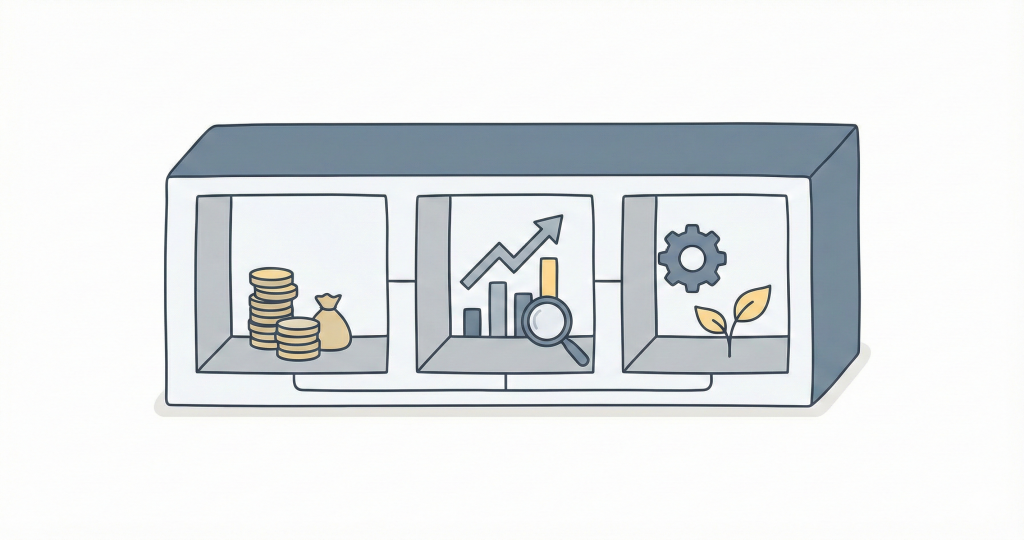
Most Notion finance templates are just expense trackers with extra pages. A real finance tracker connects everything: accounts update when you add transactions, budgets track progress automatically, and net worth reflects your actual position.
This page breaks down what a complete Notion finance system looks like: the databases, how they connect, and what each property does.
The database structure
There are 2 core databases and 6 transaction databases:
Core databases:
Accounts— your financial accounts (checking, savings, credit cards, investments, property, loans)Budget— your budget categories (income sources, expense categories, savings goals)
Transaction databases:
Incomes— money coming inExpenses— money going outTransfers— money moving between your accountsTrades— buying/selling investmentsValuations— manual value updates for property or assetsRecurring— scheduled transactions that repeat
How they connect:
Every transaction links to an Account (so balances update automatically). Most transactions also link to a Budget Category (so budget progress updates automatically).
Transaction → Account     → Balance updates
Transaction → Budget      → Progress updates
This is the core pattern that keeps everything in sync.
1. Accounts
The foundation. Every financial account you have—checking, savings, credit cards, investments, property, loans.
| Property | What it does |
|---|---|
Name | Account name ("Chase Checking", "Vanguard IRA") |
Type | Cash, Credit Card, Investment, Property, Loan, Receivable, Insurance |
Currency | The account's native currency |
Starting Balance | Balance when you started tracking |
Current Balance (Raw)✨ | Auto-calculated from transactions |
Target Balance | Optional goal for this account |
Debt Amount | For loans/credit cards: original debt |
Debt Remaining (Raw)✨ | Auto-calculated remaining debt |
Account types and when to use them:
| Type | Use for | Counts as |
|---|---|---|
| Cash | Checking, savings, cash on hand | Asset |
| Credit Card | Credit cards | Liability (if balance negative) |
| Investment | Brokerage, retirement accounts | Asset |
| Property | Real estate, vehicles | Asset |
| Loan | Mortgages, personal loans, student loans | Liability |
| Receivable | Money owed to you | Asset |
| Insurance | Life insurance with cash value | Asset |
2. Incomes
Money coming in.
| Property | What it does |
|---|---|
Name | Description ("Salary - January", "Freelance project") |
Account | Which account received the money |
Date | When it happened |
Amount | How much |
Budget Category | Links to budget for tracking |
Currency✨ | Auto-inherited from Account |
When you add an income, the linked account's balance increases automatically.
3. Expenses
Money going out.
| Property | What it does |
|---|---|
Name | Description ("Groceries", "Electric bill") |
Account | Which account was charged |
Date | When it happened |
Amount | How much |
Budget Category | Links to budget for tracking |
Receipt | Optional file attachment |
Currency✨ | Auto-inherited from Account |
When you add an expense, the linked account's balance decreases and the budget category's progress updates.
4. Transfers
Money moving between your own accounts.
| Property | What it does |
|---|---|
Name | Description ("Savings transfer", "Pay credit card") |
From | Source account |
To | Destination account |
Amount | How much left the source account |
Date | When it happened |
Exchange Rate✨ | For cross-currency transfers (auto-filled if empty) |
Transfers handle:
- Moving money between checking and savings
- Paying off credit cards
- Funding investment accounts
- Cross-currency moves (EUR checking → USD brokerage)
The system creates matching entries on both accounts so balances stay accurate. For cross-currency transfers (e.g., EUR → USD), leave Exchange Rate✨ empty and the app fetches the current rate automatically—or enter a specific rate if you transferred at a known rate.
5. Trades
Buying and selling investments. This is a simple database that allows you to track your stock or crypto trades and their impact on your investment accounts.
| Property | What it does |
|---|---|
Symbol | Ticker symbol (AAPL, BTC, VTI) |
Account | Which investment account |
Category | Stock, ETF, Crypto, Commodity |
Type | Buy or Sell |
Date | Trade date |
Quantity | Number of shares/units |
Price✨ | Price per unit (can be auto-updated) |
Value✨ | Calculated: Quantity × Price |
Trades update your investment account's holdings. In Notion Finance Tracker, prices for stocks/crypto update automatically.
6. Recurring
Transactions that repeat on a schedule, like rent, subscriptions, or salary.
| Property | What it does |
|---|---|
Name | Description ("Netflix", "Rent", "Salary") |
Type | Income, Expense, or Transfer |
Account | Which account |
Amount | How much |
Cycle | Weekly, Monthly, Quarterly, Yearly |
Starts On | First occurrence |
Budget Category | Links to budget |
Active | Toggle on/off without deleting |
Instead of manually adding rent every month, create one Recurring entry. The app generates actual transactions on schedule.
7. Budget
Categories for planning and tracking. Budgeting is not only for expenses, you can also use it to track your income and savings goals.
| Property | What it does |
|---|---|
Category | Name ("Groceries", "Salary", "Emergency Fund") |
Type | Income, Expense, or Goal |
Currency | Budget currency (can differ from accounts) |
Planned | Monthly target |
Recorded (Raw)✨ | Auto-sum of linked transactions |
Progress✨ | Percentage: Recorded / Planned |
Balance (Raw)✨ | Remaining: Planned - Recorded |
Budget categories are first-class objects. Transactions link to them, and progress calculates automatically.
8. Valuations
Manual value updates for assets that don't have market prices.
| Property | What it does |
|---|---|
Name | Description ("Home appraisal 2025") |
Account | Which property/asset account |
Date | Valuation date |
Value | Current value |
Use this for real estate, vehicles, or any asset where you periodically update the value yourself.
How net worth is calculated
Net worth = Assets − Liabilities
The system sums:
- Assets: Cash + Investment + Property + Receivable + Insurance accounts (positive balances)
- Liabilities: Loan accounts + Credit Card accounts (negative balances)
If you have accounts in multiple currencies, values convert to your base currency using current exchange rates.
What you get vs a typical free template
| Capability | Typical free template | Complete system |
|---|---|---|
| Expense tracking | Yes | Yes |
| Account balances | Manual | Auto-calculated |
| Budget progress | Manual | Auto-calculated |
| Recurring transactions | Manual entry | Auto-generated |
| Multi-currency | No | Yes, with conversion |
| Investment tracking | No | Yes |
| Net worth | No | Yes, real-time |
| Cross-currency transfers | No | Yes, with exchange rates |
Start with what you need
You don't have to use everything. Start simple:
Just budgeting? →
Just expense tracking? →
Want net worth? →
Want investments? →
Multiple currencies? →